
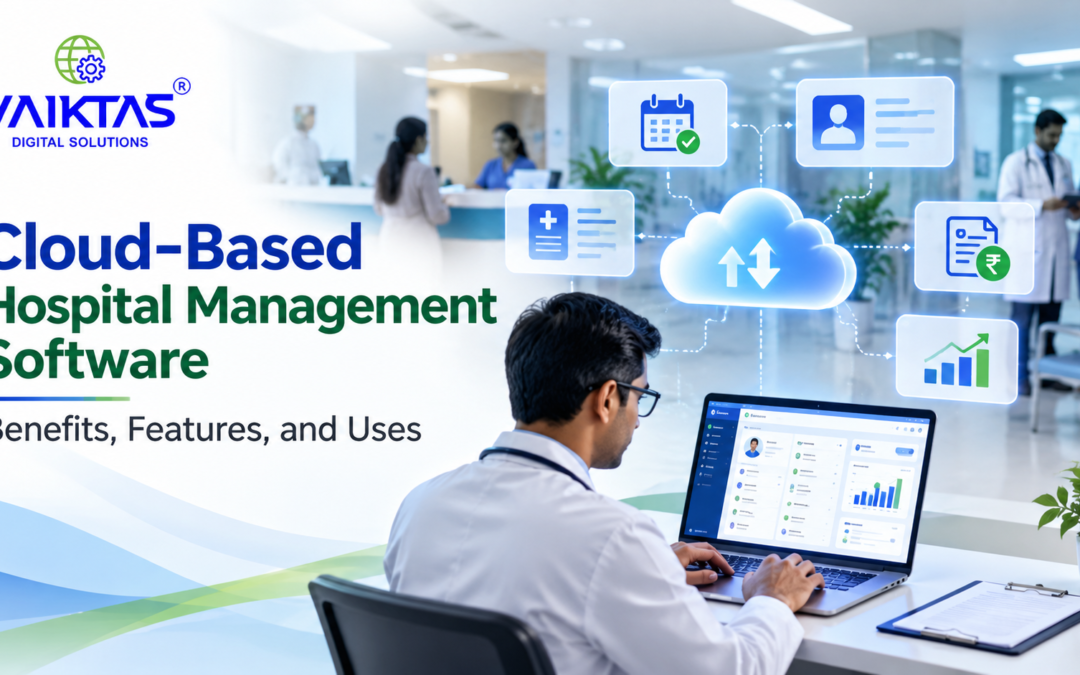
The healthcare industry is rapidly embracing digital technology to improve patient care, simplify administrative tasks, and manage hospital operations more efficiently. One of the most important developments is cloud-based hospital management software, which helps healthcare facilities manage their daily activities through a centralized digital platform.
From patient registration and appointment scheduling to billing and medical record management, cloud-based solutions can help hospitals streamline workflows and improve access to information.
In this blog, we explore the key features, benefits, and uses of cloud-based hospital management software and explain how healthcare providers can choose the right solution for their needs.
What Is Cloud-Based Hospital Management Software?
Cloud-based hospital management software is a digital system hosted on cloud infrastructure that enables hospitals and healthcare facilities to manage their operations through an internet connection.
Unlike traditional systems that rely entirely on local servers, cloud-based solutions allow authorized users to access supported information and applications from different locations, depending on the system’s configuration and access permissions.
A hospital can use this software to manage patient records, appointments, billing, pharmacy operations, laboratory workflows, and other administrative activities within a connected environment.
This approach can reduce dependence on separate systems and make information easier to access across departments.
Key Features of Cloud-Based Hospital Management Software
A reliable cloud-based hospital management system should provide features that support both clinical and administrative operations.
1. Patient Registration and Record Management
Patient management features help hospitals maintain registration details, medical histories, consultation records, and other relevant information in a centralized system.
Authorized healthcare professionals can retrieve records when needed, helping reduce manual paperwork and improve coordination.
2. Appointment Scheduling
Appointment management allows staff to schedule consultations, manage doctor availability, and organize patient visits.
Automated reminders, where supported, can help patients remember appointments and reduce scheduling-related administrative work.
3. Hospital Billing and Payment Management
Billing features help hospitals prepare invoices, record payments, and maintain financial transaction records.
By integrating billing with other hospital operations, the software can reduce repetitive data entry and make financial tracking more organized.
4. Pharmacy Management
Pharmacy management features can help track medicine inventory, monitor stock levels, record dispensing activities, and identify products approaching their expiry dates.
When integrated with relevant hospital workflows, these features can improve inventory visibility and support more efficient pharmacy operations.
5. Laboratory Management
Laboratory management capabilities help organize test requests, track sample processing, and record test results.
Integration between laboratory and patient management systems can reduce the need to transfer information manually between departments.
6. Doctor and Staff Management
Hospitals can use staff management features to maintain employee information, organize duty schedules, and coordinate departmental responsibilities.
Depending on the solution, these capabilities may also include attendance tracking and shift management.
7. Reports and Analytics
Reporting tools help hospital administrators review operational information, such as appointment volumes, billing activity, patient visits, and inventory levels.
These insights can support planning, resource allocation, and performance monitoring.
Benefits of Cloud-Based Hospital Management Software
Moving hospital operations to a cloud-based platform can offer several practical advantages.
1. Access Information from Different Locations
Authorized users can access supported hospital applications from different locations using compatible devices and an internet connection.
This flexibility can be particularly useful for healthcare organizations managing multiple branches or coordinating administrative activities across locations.
2. Reduce Manual Administrative Work
Digital workflows can simplify repetitive tasks such as patient registration, appointment scheduling, billing, and report preparation.
Reducing duplicate data entry can help staff spend less time on administrative processes and more time supporting patients.
3. Improve Departmental Coordination
A centralized platform can help departments share relevant information according to their access permissions.
For example, connecting appointment, billing, pharmacy, and laboratory workflows can reduce information gaps and support smoother hospital operations.
4. Support Business Growth
Cloud-based systems can offer flexible infrastructure that grows with an organization’s needs.
Depending on the provider and software architecture, hospitals may be able to add users, services, or locations without having to manage all the underlying server infrastructure themselves.
5. Simplify Maintenance and Updates
Cloud software providers may handle infrastructure maintenance, system updates, and certain technical tasks.
The level of responsibility depends on the service agreement, so hospitals should understand what the provider manages and what remains their responsibility.
6. Improve Data Backup and Recovery Options
Cloud platforms may provide automated backups, redundancy, and disaster recovery capabilities.
However, these features are not guaranteed by cloud hosting alone. Hospitals should confirm backup frequency, recovery procedures, data retention policies, and recovery objectives before selecting a solution.
7. Improve Operational Visibility
Centralized dashboards and reports can help hospital administrators monitor activities across departments.
Better visibility into appointments, inventory, billing, and resource utilization can support informed operational decisions.
How Cloud-Based Hospital Management Software Is Used
Cloud-based hospital management software can support different healthcare environments.
Multi-Specialty Hospitals
Large hospitals can use integrated modules to coordinate patient registration, consultations, diagnostics, billing, and pharmacy operations.
Small and Medium-Sized Hospitals
Smaller healthcare facilities can use digital workflows to organize patient information, appointments, and billing without relying entirely on paper-based processes.
Clinics and Outpatient Centers
Clinics can use relevant features to manage appointments, consultation records, prescriptions, and payments.
Diagnostic Centers
Diagnostic facilities can use laboratory workflows to organize test requests, track samples, record results, and coordinate reporting.
Hospital Groups with Multiple Branches
Organizations with multiple locations may benefit from centralized reporting and standardized workflows, provided the software supports multi-location operations and appropriate access controls.
Cloud-Based vs. Traditional Hospital Management Software
Both cloud-based and traditional hospital management systems can support healthcare operations. The right choice depends on the hospital’s technical resources, workflows, security requirements, and budget.
| Factor | Cloud-Based Software | Traditional On-Premises Software |
|---|---|---|
| Hosting | Hosted on cloud infrastructure | Hosted on local infrastructure |
| Remote access | Available when supported and securely configured | May require additional remote-access infrastructure |
| Maintenance | Often managed partly by the provider | Typically requires more internal IT involvement |
| Infrastructure costs | May reduce the need to maintain local servers | May require investment in servers and related equipment |
| Updates | Often delivered by the provider | May require local deployment and maintenance |
| Internet dependency | Usually requires internet connectivity | Core functions may operate locally, depending on the system. |
| Data management | Depends on provider policies and configuration. | Depends on the hospital’s infrastructure and procedures. |
| Scalability | Can be flexible, depending on the service | May require additional hardware or infrastructure |
Hospitals should evaluate the actual capabilities and total cost of ownership of each solution rather than assuming that one model is always better.
Is Cloud-Based Hospital Management Software Secure?
Security is an important consideration because hospital systems handle sensitive patient and operational information.
A well-designed solution should provide appropriate safeguards, including:
- Access controls: Restrict information access according to each user’s role.
- Data encryption: Protect information during transmission and, where supported, while stored.
- Multi-factor authentication: Add another layer of protection for user accounts.
- Audit logs: Record relevant access and system activities.
- Regular backups: Support recovery after accidental deletion, technical failures, or other incidents.
- Security updates: Address vulnerabilities as they are identified.
- Disaster recovery planning: Define how services and information will be restored after a disruption.
Hospitals should also review the provider’s security practices, data storage locations, contractual responsibilities, incident response procedures, and compliance with applicable Indian data protection and healthcare requirements.
Cloud hosting by itself does not guarantee security or regulatory compliance. The hospital and its software provider should clearly understand their respective responsibilities.
How to Choose the Right Cloud-Based Hospital Management Software
Before selecting a solution, healthcare providers should assess their operational requirements and long-term goals.
Consider the following factors:
- Required features: Identify the modules needed for patient records, appointments, billing, pharmacy, laboratory operations, and reporting.
- Ease of use: Choose a system that staff can learn and use efficiently.
- Integration capabilities: Check whether the software integrates with existing hospital systems, diagnostic equipment, accounting tools, and other required services.
- Security and privacy: Evaluate authentication, permissions, encryption, backups, audit logs, and data handling practices.
- Scalability: Confirm whether the system can support additional users, departments, or branches.
- Implementation and training: Understand migration requirements, onboarding, staff training, and expected implementation time.
- Customer support: Review support availability, response times, maintenance arrangements, and service commitments.
- Total cost: Consider subscription charges, implementation, training, integrations, support, and any additional usage fees.
Requesting a product demonstration can help your team evaluate whether the software fits your workflows before making a decision.
The Future of Cloud-Based Hospital Management Software
Cloud technology is creating opportunities for healthcare organizations to modernize their administrative and information management processes.
Future developments may include greater use of artificial intelligence for administrative assistance, more connected healthcare applications, improved reporting, and interoperability between clinical systems.
However, successful adoption depends on more than technology. Hospitals also need reliable processes, staff training, data governance, and appropriate security measures.
Organizations that evaluate these factors carefully can make better decisions about digital transformation and long-term operational improvement.
Conclusion
Cloud-based hospital management software can help healthcare facilities organize patient information, simplify administrative tasks, coordinate departments, and improve access to operational data.
Its value depends on selecting a solution that meets the hospital’s functional requirements, security expectations, budget, and future growth plans.
Before implementing a system, healthcare providers should compare available features, evaluate data protection measures, understand the provider’s responsibilities, and assess how the software fits into existing workflows.